
- Product
-
-
- PRODUCT
- Hallo Language Test (HLT)
- Speaking, writing, reading, listening & typing
- Hallo Skills Assessments
- Cognitive, personality, simulations & more
- Hallo AI Interviews
- 100+ soft skills & job-specific competencies
- Hallo Coding Interviews
- Programming skills in any language
- Hallo AI Agent
- Build any assessment in minutes
-
-
- PLATFORM
- Languages
- Evaluate test takers in 100+ languages
- Proctoring
- Protect assessment integrity with AI
- Customization
- Tailor assessments to your exact needs
- Reporting & Analytics
- Analyze results & make informed decisions
- Enterprise Management
- Manage organizations, user access & SSO
- Trust & Security
- ISO27001, SOC 2 Type II, GDPR, & EU AI Act
- API Integrations
- Connect with ATS platforms & APIs
-
-
- FEATURED
Introducing Hallo AI Agent
Create any type of assessment in seconds, tailored to your skills, difficulty, questions, and format.
-
-
-
- Solutions
-
-
BY INDUSTRY
- Corporation
- BPO
- Language School
- AI & LLM Training
-
GET A DEMO
-
-
- Resources
-
-
RESOURCES
- Demo
- Pricing
- Customer Stories
- Blog
- FAQ
-
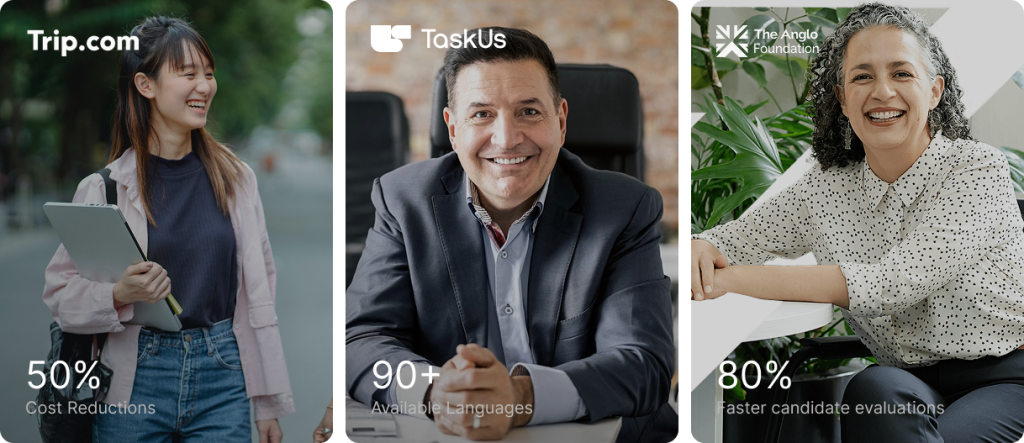
CUSTOMER HIGHLIGHTS
-
-
- Company
-
-
- GET A DEMO

-
-
- Pricing
Introducing Hallo's Secondary Camera Proctoring
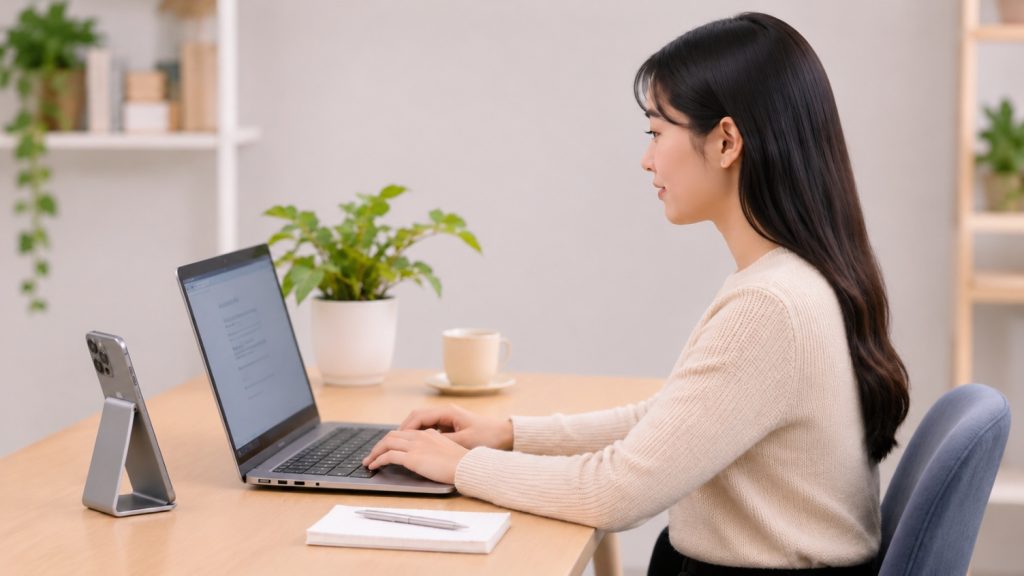
Remote assessments make it possible to evaluate candidates wherever they are. But when an assessment happens remotely, having the right context around the session matters.
That’s why Hallo’s Secondary Camera Proctoring adds another camera perspective to the assessment experience, helping provide greater visibility into the candidate and their testing environment.
By combining the computer’s webcam with a smartphone camera, Hallo can capture the candidate from the front while the secondary camera provides an additional view of the candidate, their computer, and their surroundings.
The result is a more complete picture of the assessment environment, supporting a secure, reliable, and trustworthy assessment experience.
How does secondary camera proctoring work?


Primary camera
Secondary camera
Computer webcam
Smartphone
The computer's webcam captures the candidate as they complete the assessment.
The candidate's smartphone provides an additional perspective of the candidate, their screen, keyboard, and surrounding environment.
Why use a secondary camera?
A front-facing webcam is useful for seeing the candidate, but it does not provide the same visibility into everything around the computer.
A secondary camera adds another perspective of the testing setup, helping provide context around the candidate’s computer and surrounding environment.
For organizations, that additional context can support greater confidence in the integrity of remote assessments.
For candidates, it creates a clear and consistent setup that helps establish the conditions of the assessment from the start.
Built for modern remote assessments
Secondary Camera Proctoring is part of Hallo’s broader AI proctoring capabilities, alongside safeguards such as ID verification and smart webcam monitoring. Together, these safeguards are designed to support secure, reliable, and trustworthy assessment results.
Because Hallo supports language assessments, skills assessments, and interviews, these capabilities can be incorporated into different assessment experiences depending on an organization’s requirements.
What does the candidate experience look like?
The setup is designed to be straightforward.
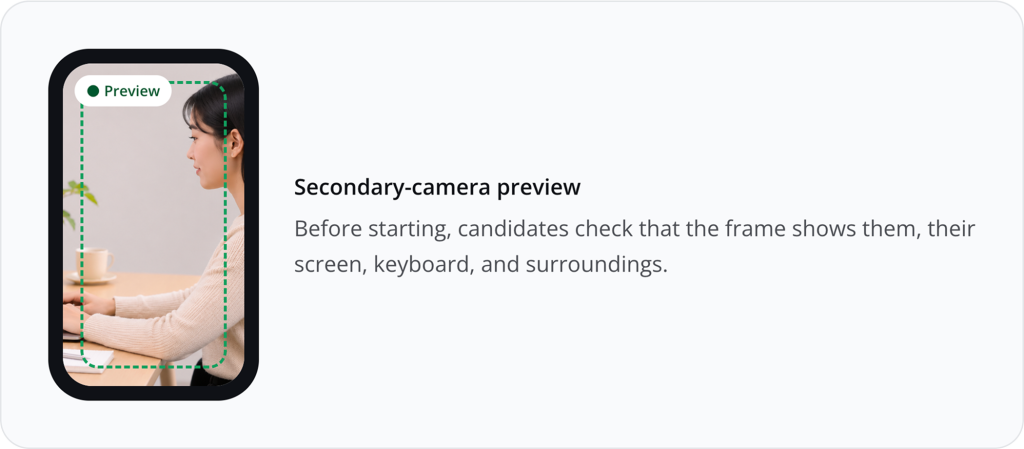
Before beginning the assessment, the candidate positions their smartphone beside their computer and checks the secondary-camera preview.
The goal is simple: the camera should clearly capture the candidate, their screen, keyboard, and surroundings.
Once the framing looks right, the phone remains securely positioned while the candidate completes the assessment.
This setup gives candidates a clear view of what is being captured and gives organizations additional context around the assessment session.
What does the candidate experience look like?
Setting up a secondary camera does not require specialized camera equipment.
Candidates need:
- A computer with a working webcam
- A smartphone with a camera
- A stable phone stand or surface
- A reliable internet connection
- A suitable, well-lit testing environment
The exact requirements may vary depending on the assessment configuration.
How to set up your secondary camera
-
01
Place your phone beside your computer
Position your smartphone beside your computer rather than directly in front of you.
Place it on a stable stand or surface so it can remain securely positioned throughout the assessment.
-
02
Find the right angle
Adjust the phone until the frame clearly captures you, your screen, keyboard, and surroundings.
Position the phone far enough away to capture the full setup without cutting off important parts of the frame.
-
03
Check your preview
Review the secondary-camera preview before beginning.
Make sure you and the important parts of your testing environment are clearly visible.
If anything is cut off, adjust the phone before starting the assessment.
-
04
Keep your phone in place
Once your setup is confirmed, keep the phone securely positioned.
Avoid moving or picking up the phone during the assessment unless the assessment instructions specifically require you to do so.
A stable camera position helps maintain a consistent view throughout the session.
A simple setup for greater confidence
Secondary Camera Proctoring adds another layer of visibility without requiring complicated equipment or a dedicated testing center.
A computer webcam captures the candidate, while the smartphone provides additional context around the testing environment.
For organizations, this helps support the integrity of remote assessments. For candidates, it provides a straightforward setup they can check before beginning.
The goal isn’t to make remote assessment more complicated. It’s to make the assessment environment easier to understand and evaluate.
Before you begin
- ✓ Your smartphone is securely positioned.
- ✓ You are clearly visible in the secondary-camera frame.
- ✓ Your computer screen and keyboard are visible.
- ✓ Your surroundings are sufficiently visible.
- ✓ Your phone and computer have a reliable connection.
A more complete view of remote assessment
Hallo’s Secondary Camera Proctoring adds another perspective to the assessment environment, helping organizations support secure, reliable, and trustworthy remote assessments.
Two cameras. One assessment. A more complete view.

Copyright © 2026 Hallo Inc. All rights reserved.

Join the 10,000,000+ assessment community.